
Who this is for
- Brand owners trying to figure out which content format works for their SKU.
- Marketing teams briefing creators with reference videos that converted.
- Agencies reporting top-performing posts to clients.
- Content strategists patterning hooks, lengths, and styles that drive purchases.
What Video Analytics shows
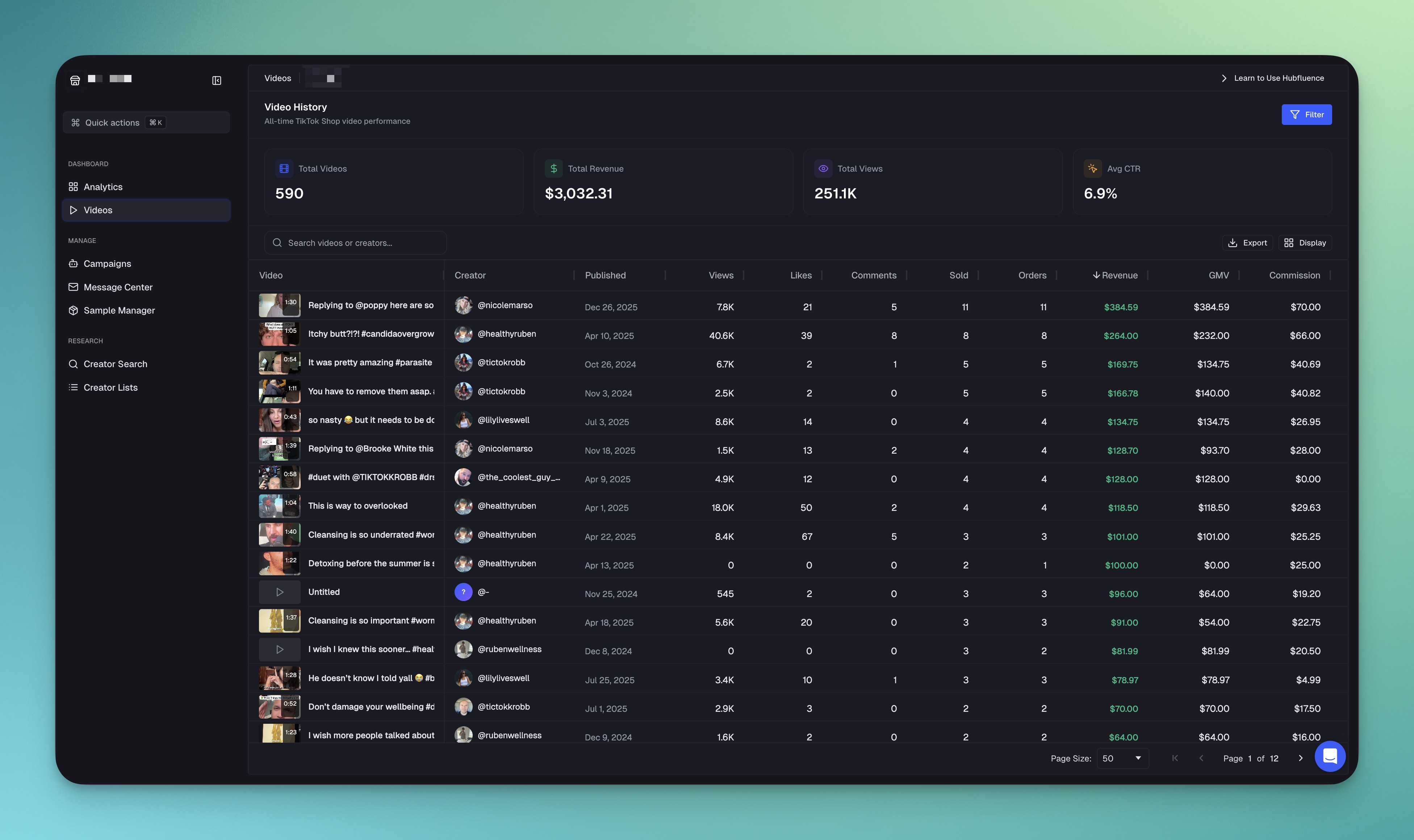
The view is a sortable list of every creator video in your program, with the metrics needed to spot patterns.
| Metric | What it means |
|---|---|
| Views | Total views on this individual video. |
| Likes | Likes on the post, with comments, shares, and saves in the engagement breakdown. |
| Revenue | TikTok Shop GMV attributed to this specific video. |
| Published | When the creator posted it, so you can spot how fast a video ramps. |
| Creator | Which affiliate posted it, with E-com Level, clickable into Creator Analytics. |
Summary cards across the top roll the whole program up at a glance: total videos, total revenue, total views, and average CTR. Sort the list by revenue to put your highest-earning posts first, then message any creator directly from the row.
Talk to us
Want to see what's actually driving sales on your TikTok Shop?
We'll connect your shop on a walkthrough, pull your top videos, and pattern-match the hooks that converted. No deck.
What you actually get
- Live per-video data. Updates as views, engagement, and orders come in.
- Sortable and filterable. By views, sales, creator, date, list, or niche.
- Cross-link to Creator Analytics. Jump from a winning video to that creator's full performance.
- Export-ready. Pull top-performing post lists for brief decks and pitch updates.
- Feeds content strategy. Pattern recognition on what's working informs future briefs.
How to get started
- Connect your TikTok Shop. Video Analytics begins indexing creator posts immediately.
- Open the dashboard and sort by attributed sales over the last 30 days.
- Open the top 10 videos and look for shared hooks, structures, and lengths.
- Pull the patterns into a brief for the next creator wave.
- Repeat weekly. The brief gets sharper every cycle.


